Login name
If you have questions about password security or login names, you can find more information here:
Individual Login Name
If you want to log in to your mail.de mailbox, you will always need your login and password. By default, your login is your e-mail address (max.mustermann@mail.de) or, in short, the e-mail prefix (max.mustermann). For all its simplicity, this means that every person who knows your e-mail address also knows your login. This poses a potential security risk, as in case of misuse only your password is unknown.
Change Login name
-
Log in to the login page using your credentials.
-
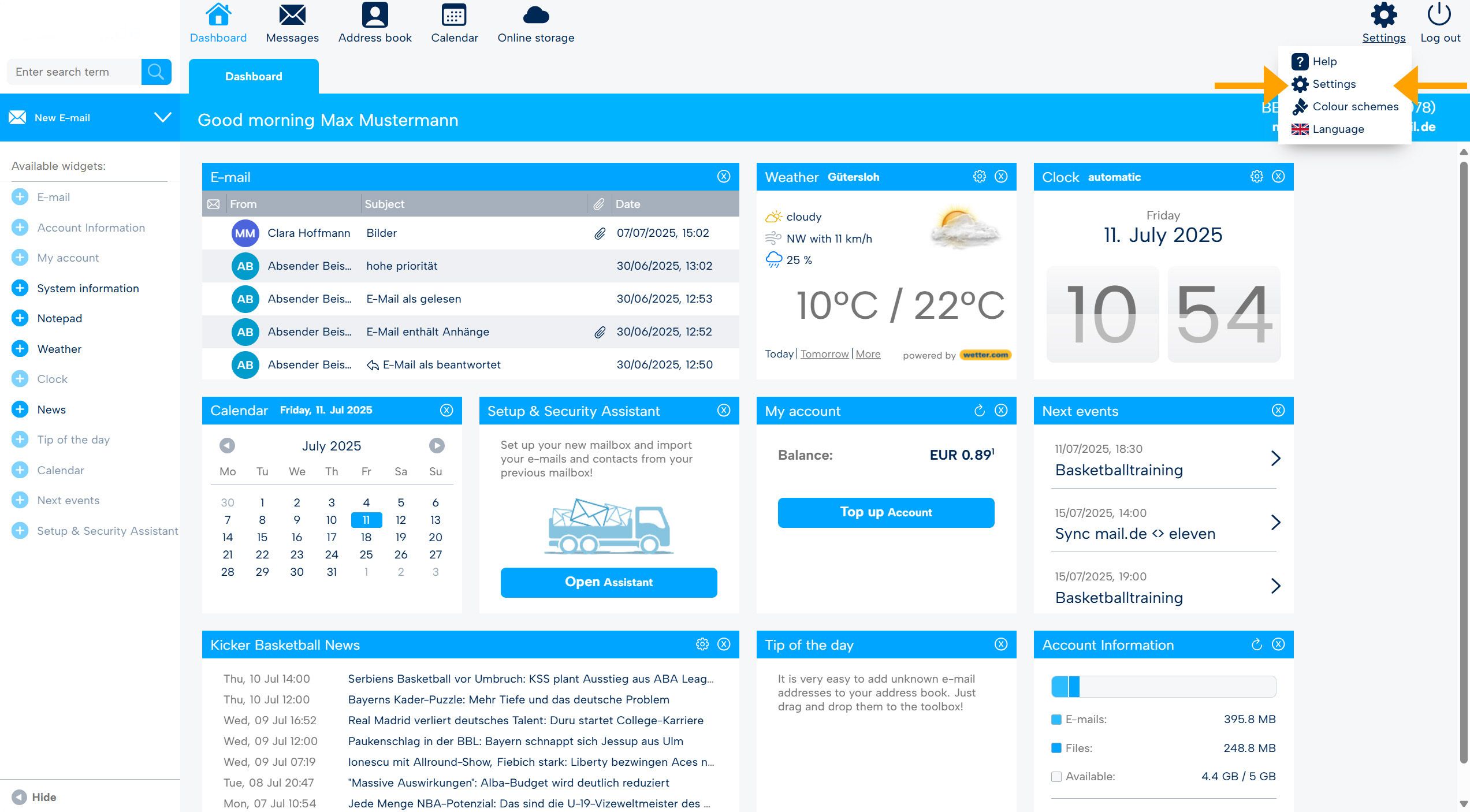
After logging in, you are on the start page of the webmailer, from there go to the settings mode (cogwheel, top right).
-
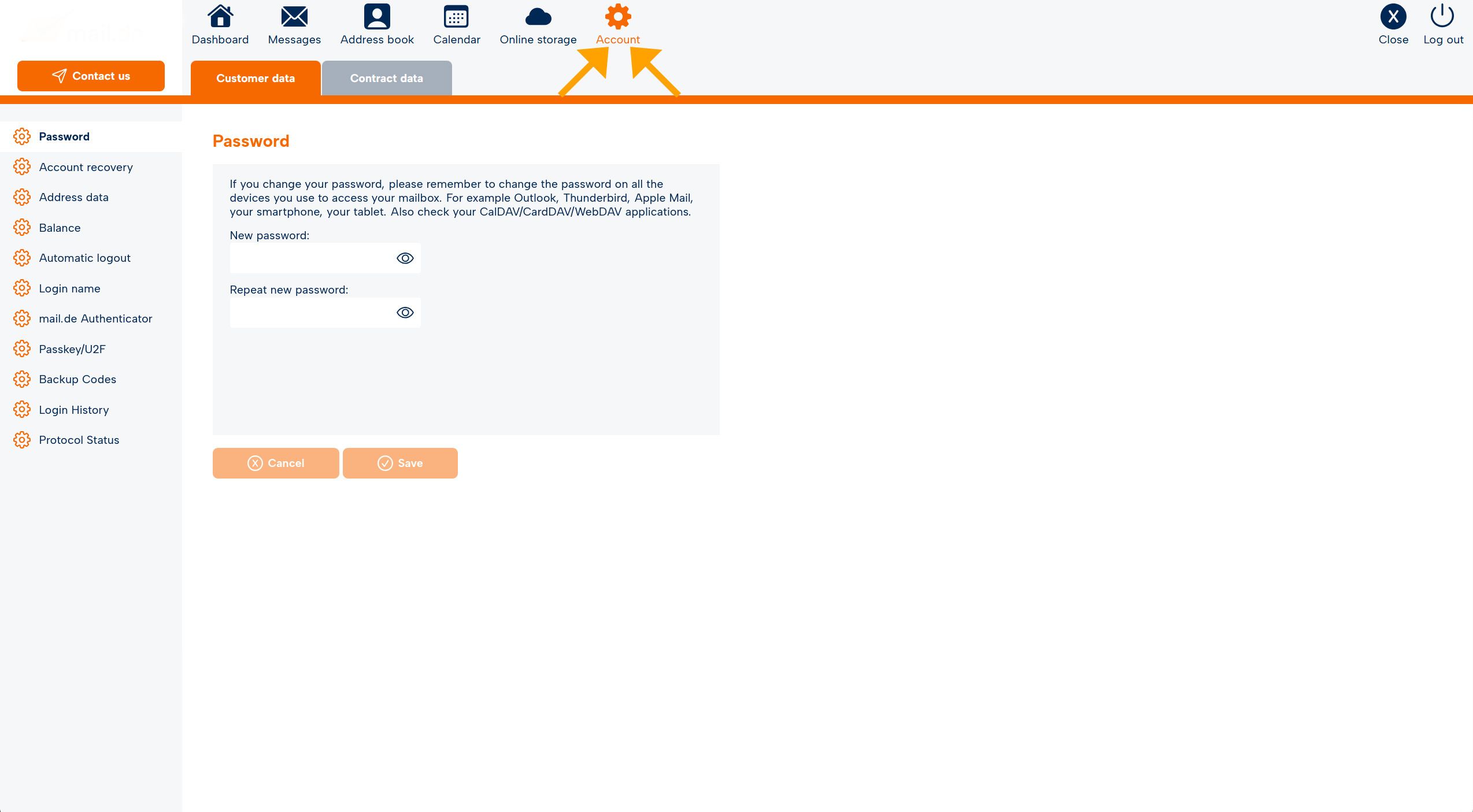
The navigation bar turns orange, go to the "Account" tab.
-
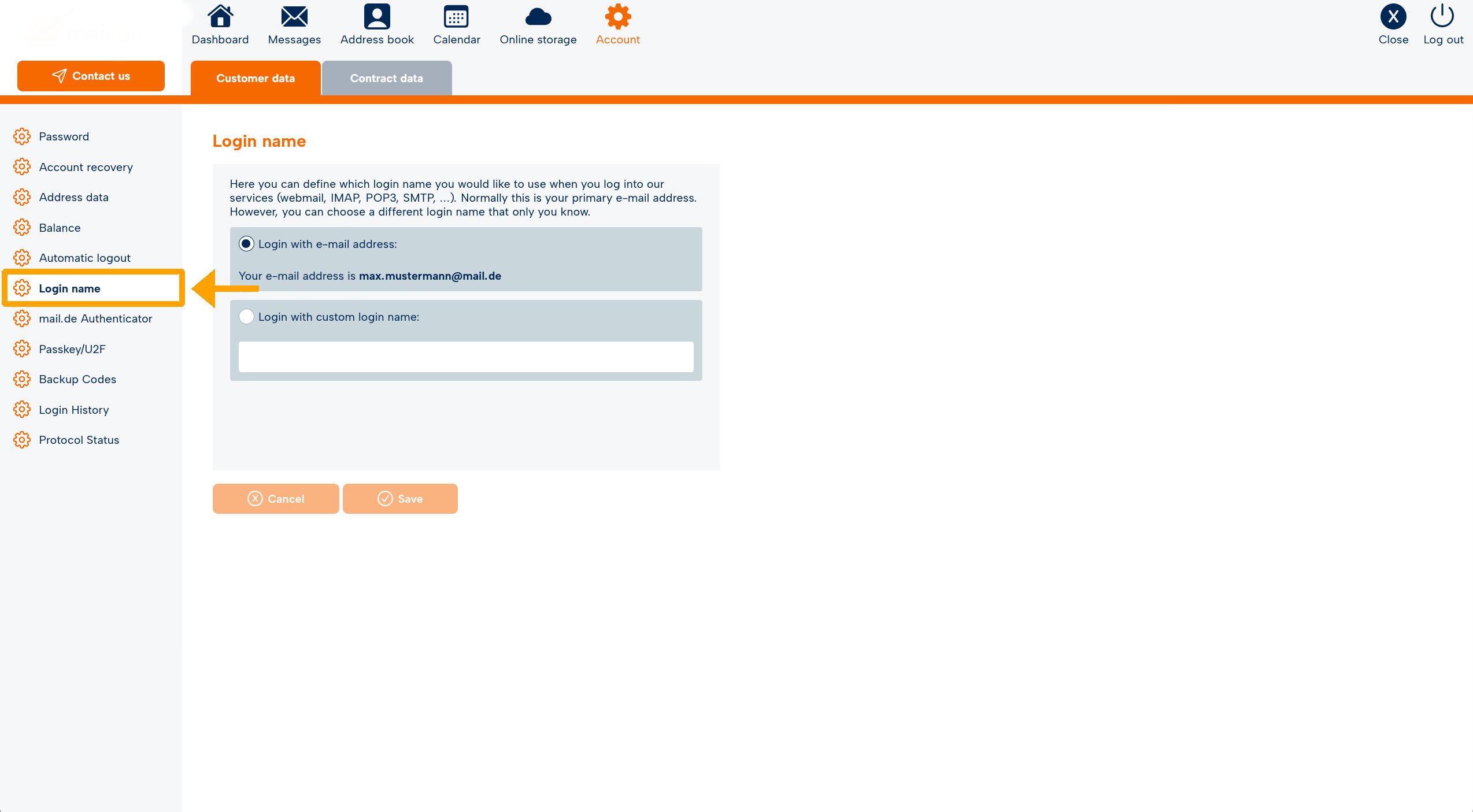
On the left side there are various menu items, select "Login name" there.
-
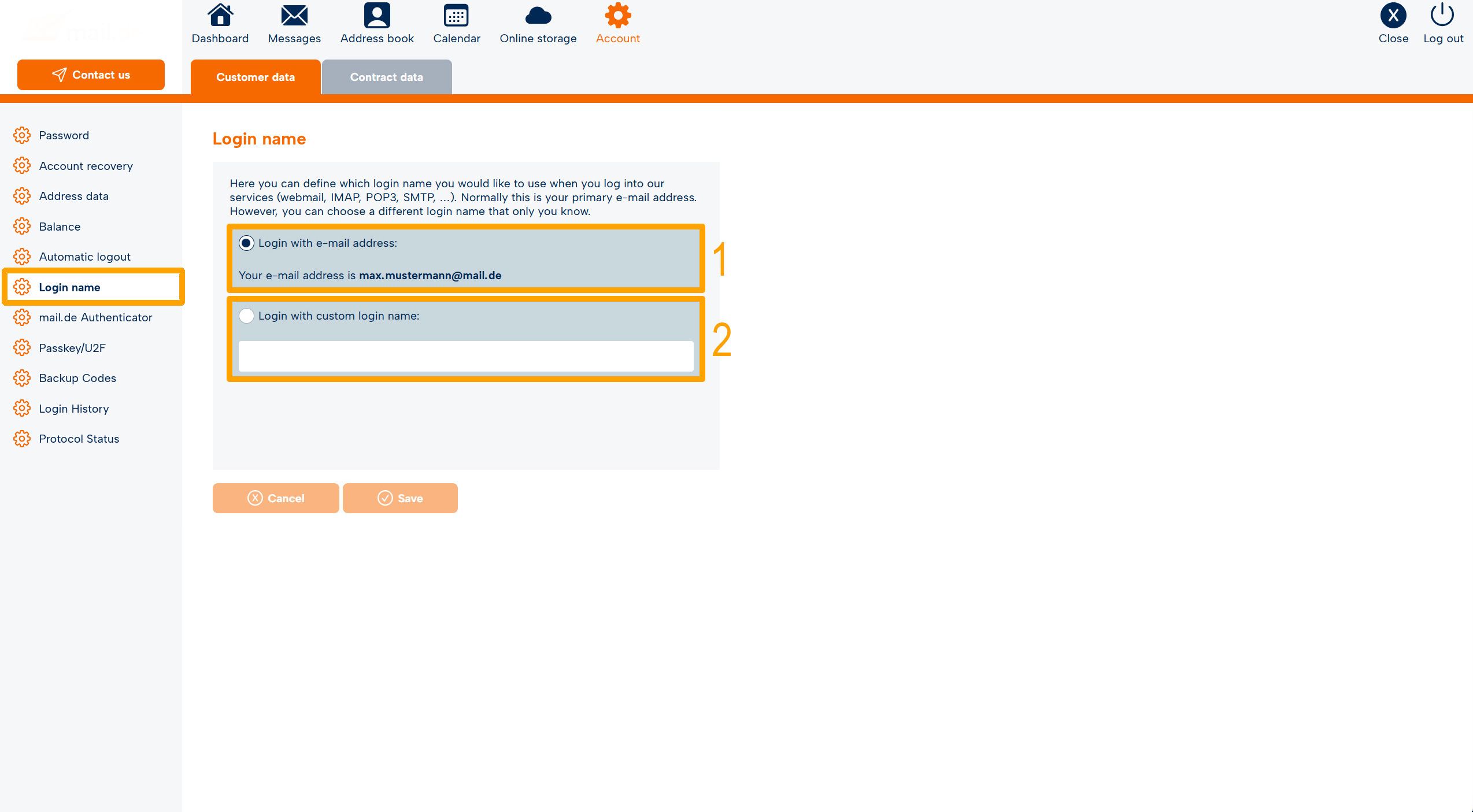
In the field "Login with custom login name:" (2) you can make the desired entry and confirm it by entering the current password and clicking on "Save".
Login requirements
A custom login must consist of at least 4 characters, 1 of which must be a special character (permitted special characters: !$&/=?).
Important note: If you use an e-mail client (e.g. Microsoft Outlook, Mozilla Thunderbird), the new login name must also be entered there.
Resetting your login
If you want to reset your login (i.e. to e-mail address/prefix):
- Simply click on "Login with e-mail address" (1).
- Enter your current password.
- Confirm by clicking on "Save".

